
Are you tired of staring at the Elementor Pro paywall just because you want to design a custom header, footer, or product archive page? You are not alone.
In 2026, building a professional WordPress website shouldn’t require a constant $59/year subscription for every single client project. While Elementor Free is an incredibly powerful page builder, it locks its most essential feature—the Theme Builder—behind the premium version.
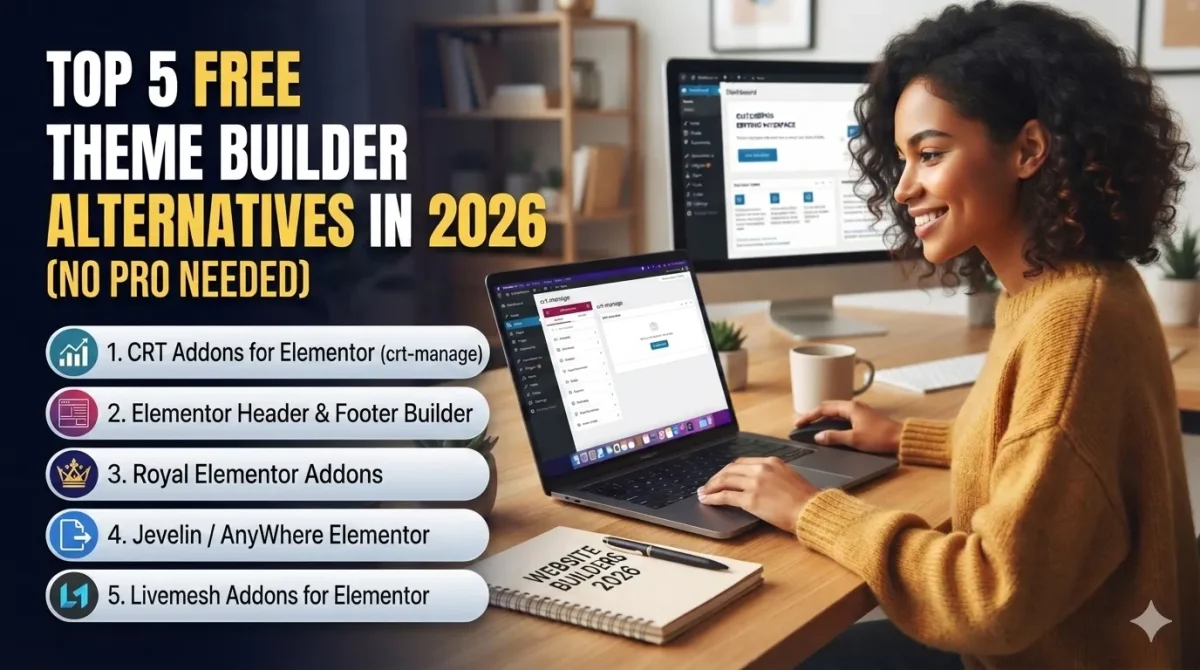
Fortunately, the WordPress open-source community has stepped up. Today, we are breaking down the top 5 free Elementor Theme Builder alternatives in 2026 that let you customize every corner of your website for $0. No Pro version required!
Why Look for an Elementor Theme Builder Alternative?
Before we dive into the list, let’s address the elephant in the room: cost and weight.
If you are a freelancer or a web design agency managing dozens of client sites, paying for Elementor Pro licenses can quickly eat into your profit margins. Furthermore, loading heavy premium plugins just for a custom header can sometimes slow down your Google Core Web Vitals score.
By pairing Elementor Free with a lightweight, specialized theme builder addon, you get the same drag-and-drop flexibility while keeping your source code clean and your wallet full.
The 5 Best Free Elementor Theme Builder Alternatives
1. CRT Addons for Elementor (crt-manage)
The ultimate lightweight, all-in-one theme builder alternative for modern agencies.
👉 QUICK LINK: Download CRT Addons for Free on WordPress.org
Link: https://wordpress.org/plugins/crt-manage/
Developed specifically to eliminate the need for Elementor Pro, CRT Addons is the rising star of 2026. Unlike other bloated plugins that slow down your WordPress dashboard, CRT Addons focuses purely on speed, clean code, and design flexibility.
- Key Features: Dedicated Header & Footer Builder, fully functional WooCommerce Grid display, custom display conditions (entire site, singular pages, or archives), and native integration with high-performance starter themes.
- Why it’s the best: It doesn’t just give you a header wrapper; it unlocks a true Theme Builder engine. You can assign different headers for different pages with zero lag.
- Best For: Freelancers and agencies who want a single, rock-solid plugin to handle all site structures.
2. Elementor Header & Footer Builder (by Brainstorm Force)
The classic, reliable choice for simple headers.
Created by the team behind the famous Astra theme, this plugin is one of the oldest workarounds in the book. It does exactly what it says on the tin: lets you build templates with Elementor and inject them as headers or footers.
- Key Features: Basic display conditions, target specific user roles, and built-in navigation menu widgets.
- The Catch: It is heavily limited to just headers and footers. If you want to design custom WooCommerce shop pages or single blog post layouts, this plugin will fall short.
- Best For: Simple informational blogs that only need a basic menu structure.
3. Royal Elementor Addons
A feature-rich option with pre-made template kits.
If you love pre-built blocks and don’t want to design your header or footer from scratch, Royal Elementor Addons provides a massive library of free widgets.
- Key Features: Free theme builder component, 50+ free widgets, and pop-up builders included in the free tier.
- The Catch: Because it crams so many features into a single plugin, it can feel overwhelming. The interface is cluttered with “Go Pro” upsell banners, which can hinder the client-handoff experience.
- Best For: Beginners looking for instant, ready-made design kits.
4. Jevelin / AnyWhere Elementor
Great for global post layouts and custom hooks.
AnyWhere Elementor is a developer-centric plugin that allows you to create global layouts for your post types and insert them anywhere using shortcodes or hooks.
- Key Features: Allows you to design the content area of single posts and page archives.
- The Catch: The free version lacks an intuitive visual interface for setting up dynamic global headers, requiring you to manually deal with shortcodes in some instances.
- Best For: Technical users who are comfortable dealing with WordPress template configurations.
5. Livemesh Addons for Elementor
A solid utility belt for grid structures and block layouts.
While primarily known as a widget addon pack, Livemesh includes backend capabilities that allow you to build custom extensions and sections to replace basic theme features.
- Key Features: Beautifully optimized grid layouts, dark/light mode toggles, and responsive design controls.
- The Catch: It functions more as an extension pack rather than a dedicated, standalone Theme Builder ecosystem. You will need to combine it with another header injector.
- Best For: Designers who want specific advanced styling blocks without paying for premium extensions.
Symmetrical Comparison: Which One Should You Choose?
| Feature | CRT Addons | Elementor H&F | Royal Addons | AnyWhere Elementor |
|---|---|---|---|---|
| Header/Footer | ✅ Yes (Advanced) | ✅ Yes (Basic) | ✅ Yes | ❌ Shortcode Only |
| WooCommerce | ✅ Yes (Included) | ❌ No | ⚠️ Partial | ❌ No |
| Performance | 🚀 Ultra-Lightweight | ⚡ Stable | 🐢 Heavy/Bloated | ⚡ Moderate |
| UI Cleanliness | Clean / No Ads | Clean | Heavy Upsells | Developer-focused |
Step-by-Step: How to Build a Custom Header for FREE (Using CRT Addons)
Ready to build your first free header? Follow this quick 3-step guide:
- Install the Engine: Navigate to your WordPress Dashboard >
Plugins>Add New. Search for “CRT Addons for Elementor”, install, and activate it. - Create Your Template: Go to the newly appeared
CRT Addonsmenu tab, clickTheme Builder>Add New. Set your template type to Header and name it “Global Navigation”. - Design & Publish: Open the template with Elementor Free. Drag in your logo, a navigation menu, and a call-to-action button. When you hit Publish, choose the display condition: Entire Website.
That’s it! You now have a fully responsive, custom-designed header operating across your site without touching Elementor Pro.
📺 NEED A VISUAL GUIDE?
Watch our full step-by-step video tutorial on YouTube to see this workflow in action:
👉 https://www.youtube.com/watch?v=8o9CeyCv1H8
Final Verdict: The Best Pro Alternative in 2026
While old classics like Brainstorm Force’s builder are fine for bare-bones sites, modern web design demands more. If you are building e-commerce stores, portfolio sites, or complex client projects, you need an alternative that handles custom archives and WooCommerce grids natively.
For a lightweight, agency-friendly workflow that keeps your websites running fast and cost-free, CRT Addons is the definitive winner in 2026.
Drop the $59 renewal fee, keep your tech stack clean, and start building with total freedom.